Primary Department Supported: Credit Officers / Underwriters
Super Powers Needed? - YES
Developer Support Needed? - NO
Common Situations
Once a loan moves into Servicing Active – Credit Officers and Underwriters need Product Support to update the ARV, AIV, & UWV values at the Unit Level.
Important Considerations & Best Practices
- Approval Requirements: Updates to ARV, AIV, or UWV must be requested or approved by an individual with the title Credit Officer or Underwriter.
- Definitions:
- ARV — As Repaired Value
- AIV — As Is Value
- UWV — Underwritten Value
Instructions:
Locate the Property Units
From the LMS Menu:
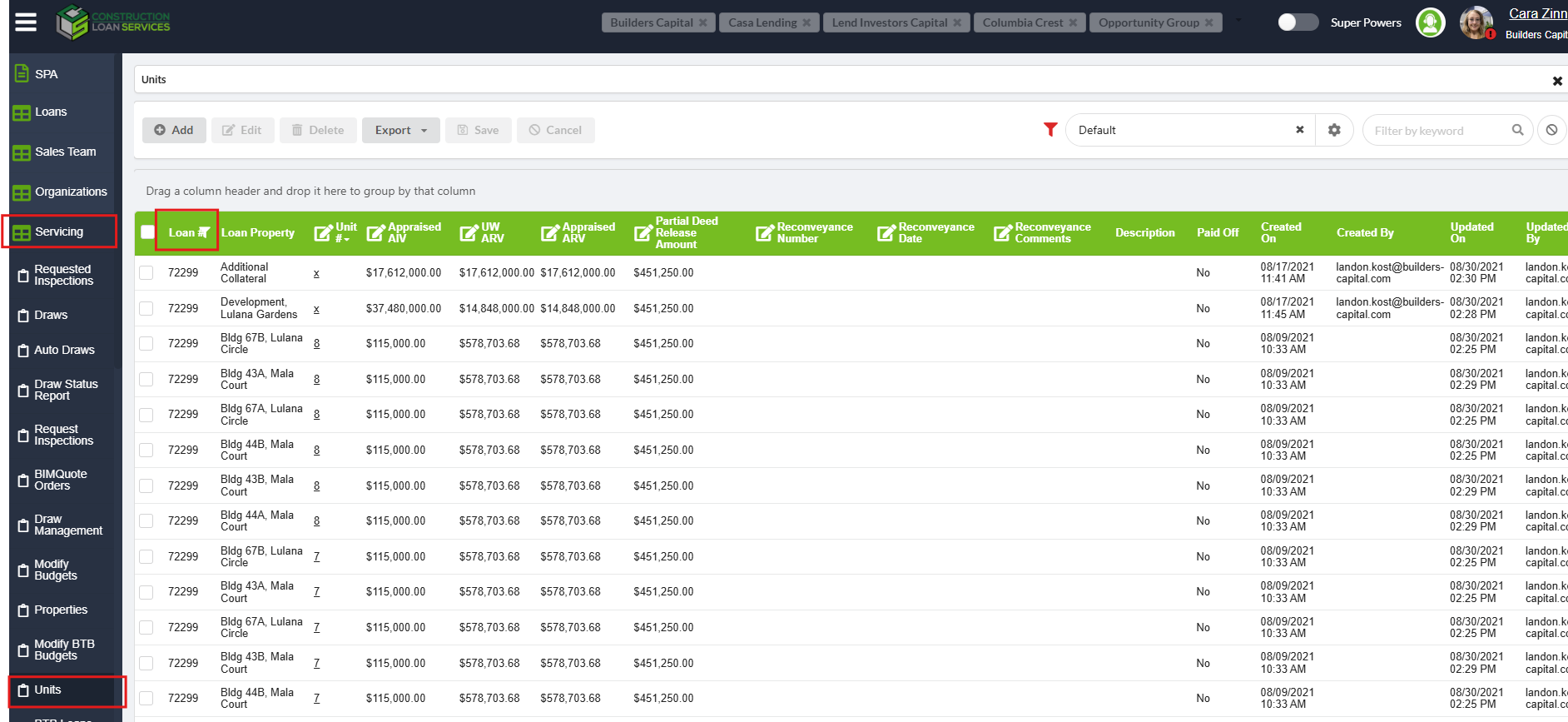
- select Servicing
- Choose Units
- Filter by Loan Number
- Locate the unit(s) that require updates
- Review the table and identify the ARV, AIV, and UWV columns
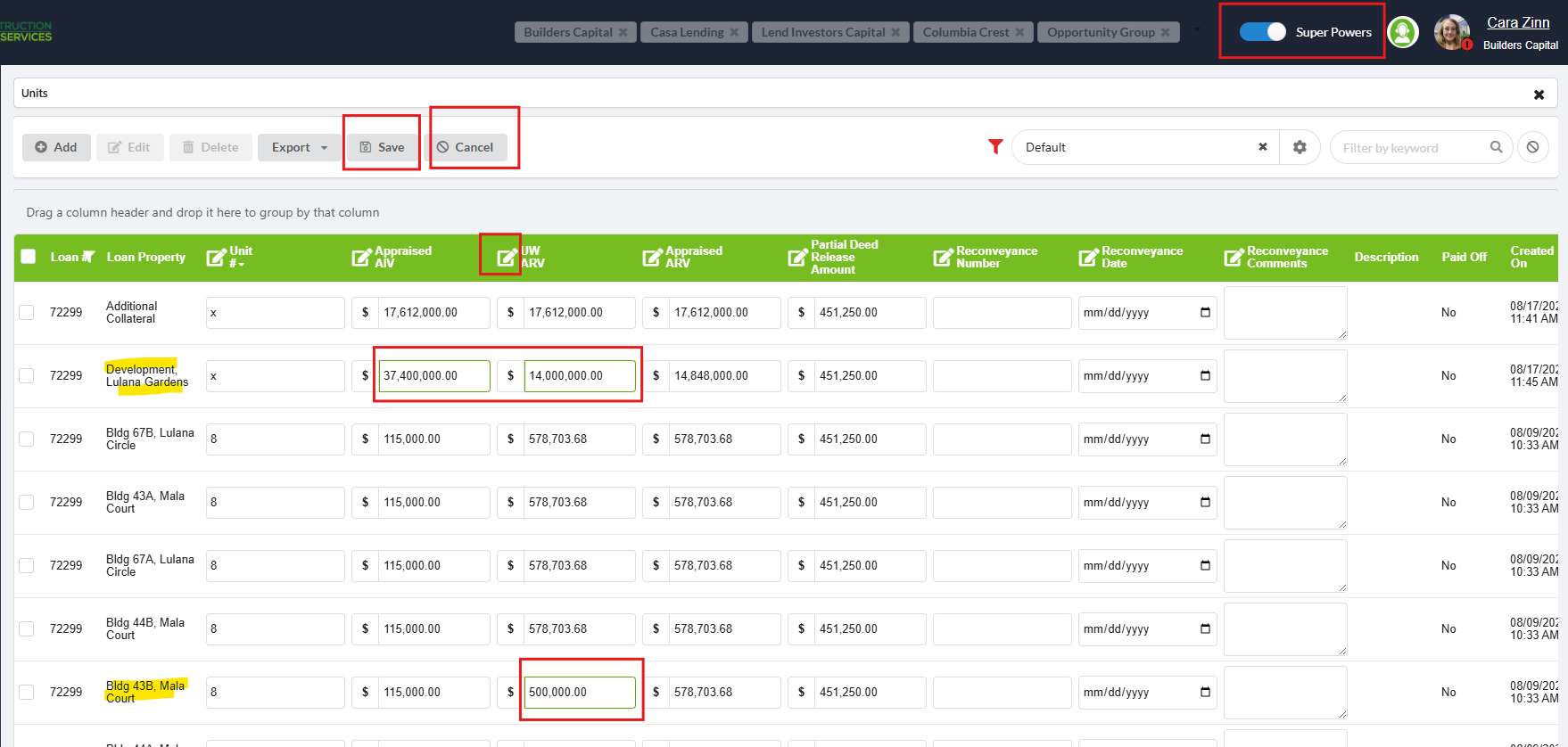
- Turn on Super Powers
- Select the square/pencil icon in the column you need to modify
- Enter the updated value(s) exactly as provided
- Click Save (located above the column headers)
- Click Cancel to close the edit mode