Primary Department Supported: Accounting, Treasury
Description: Steps for updating the information in Purchase Advice Quotes in LMS
Super Powers Needed? - NO
Developer Support Needed - YES
Context and Common Situations
- A requester needs information within a Purchase Advice Quote (PAQ) updated.
- This is typically requested when a value in the PAQ should be auto‑pulling from the loan, but is not.
Important Considerations & Best Practices
- Updates to PAQ data must be done by the developers.
- Ensure you have and provide the PAQ Purchase Data, as multiple PAQs may exist for a loan
- Always validate that the dev work/changes are completed before resolving the ticket
Instructions
To Update a Purchase Advice Quote (PAQ): Send a Task to the developers
Asana Task Guidelines:
-
Task Name (should match the name of the HubSpot Ticket): An easy way to name the ticket for identification (include loan number or numbers when applicable)
- Tip: Change the Name of the HubSpot Ticket before marking it for Dev Support
-
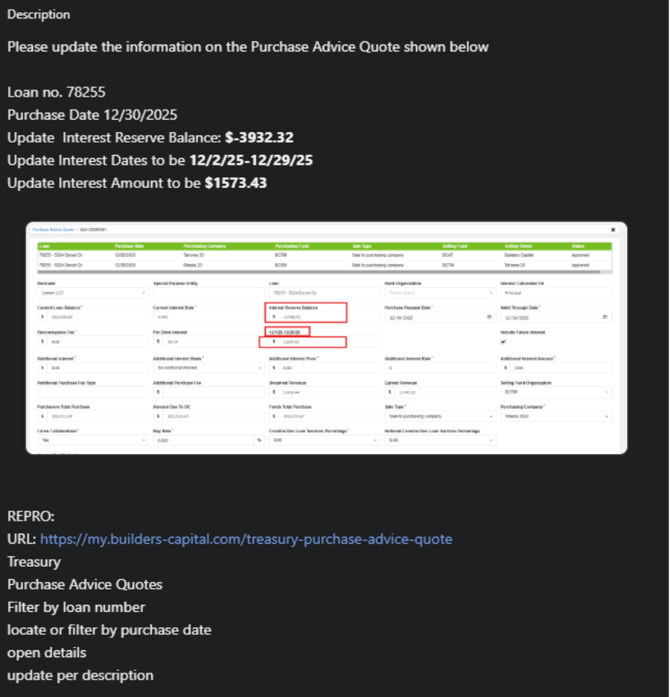
Developer Description: Where/What: Specific instructions ask the developer for exactly what is needed and should always include screenshots of exactly what items you are referring to
-
Repro/Pathaway: Step by step instructions for the developers to get to the section in LMS where the changes are to be completed.
NOTE: There should always be URLs included in the description or in the Repro/Pathway that direct the developers to the correct location in LMS
Dev Ticket Visual: