
Primary Departments Supported: Servicing/Closing/Treasury
Super Powers Needed? YES
Developer Support Needed? NO/ (YES for paid off loans)
Important Considerations & Best Practices
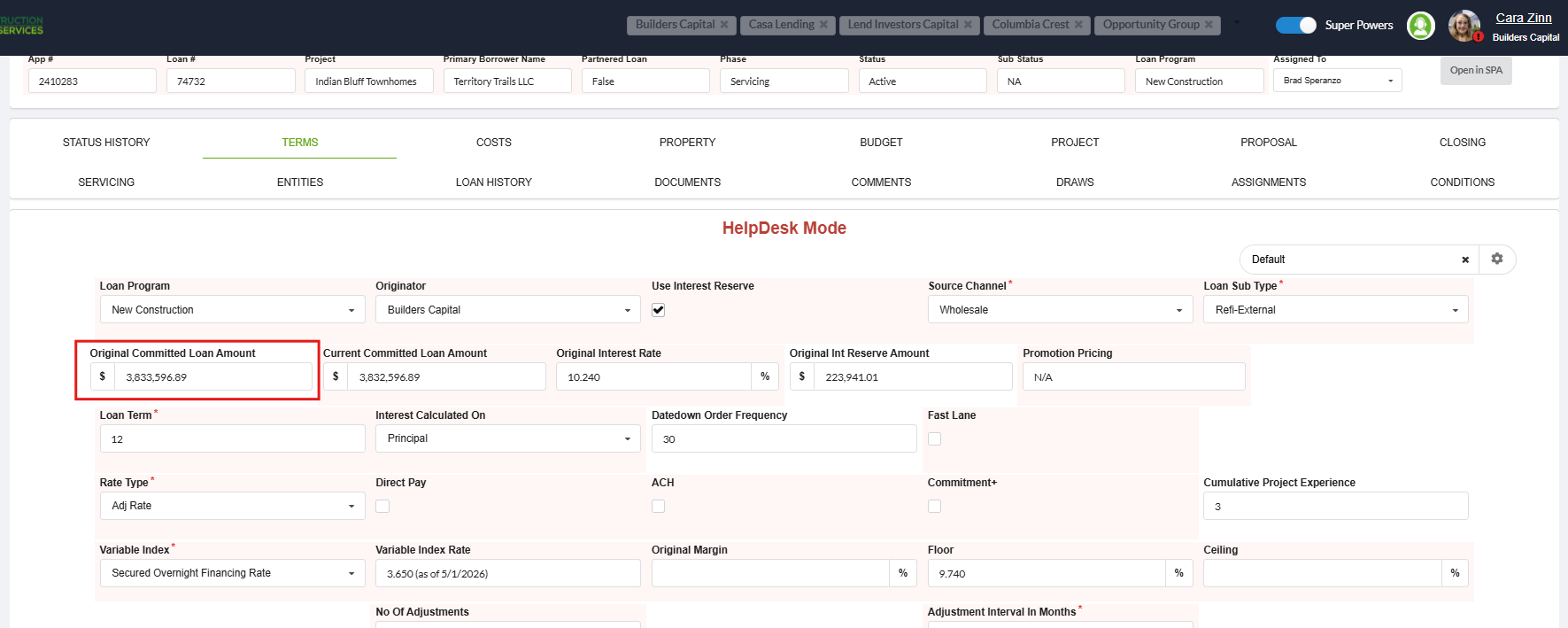
- Ensure the requester provides the exact Original Loan Balance amount that should be restored or updated – This can also be cross referenced by reviewing the change log for "Original Loan Amount"
- Review the Loan Phase:
- If loan is Paid Off , submit a ticket to the developers to update: Product Support cannot update the value directly
- When done by Product Support – the update is completed at the Terms Tab level
- When done by the Developers – the update is completed on the Servicing Tab
Instructions:
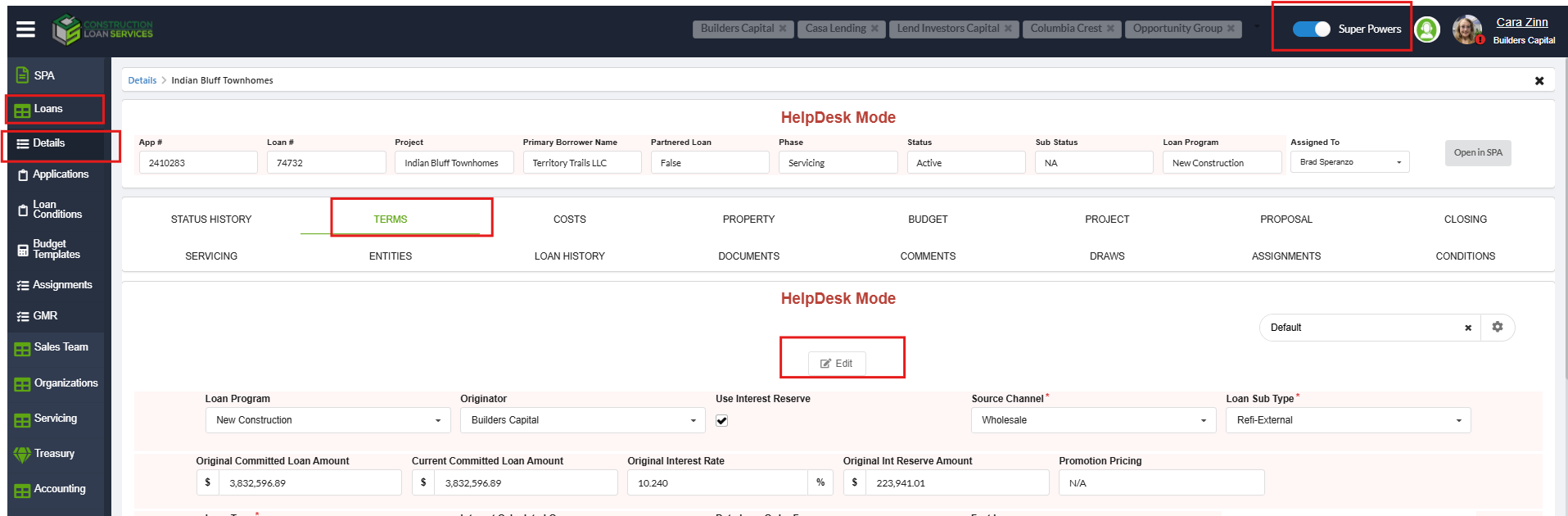
To Update Original Balance on the Terms Tab
From LMS Menu:
- Select Loans
- Loan Details
- Locate Loan and click to open details
- Select Terms Tab
- Turn on Super Powers.
- Click Edit.
- Enter the requested updated amount into the Original Loan Balance field.
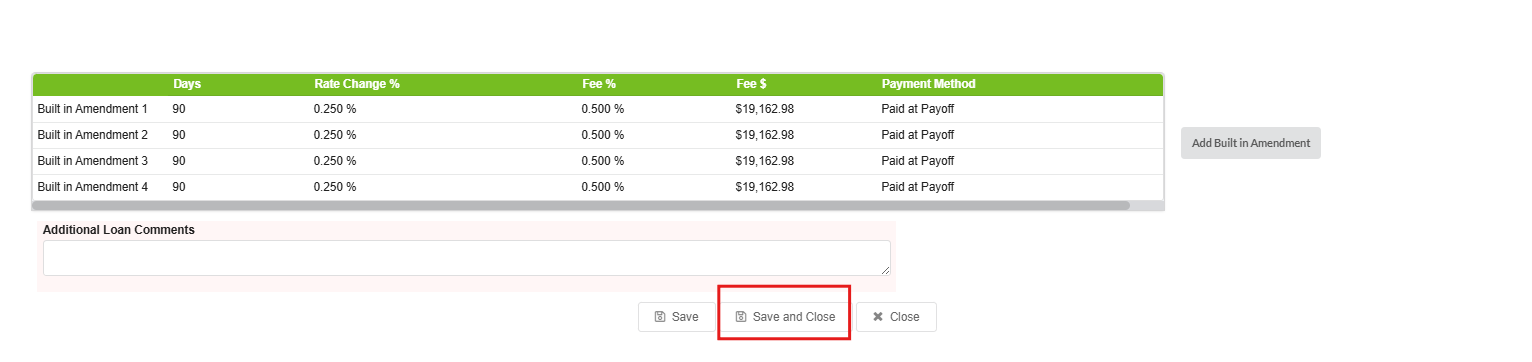
- Click Save or Save and Close.
To Update Original Balance on a Paid off Loan
Submit a Task to the Developers:
Asana Task Guidelines:
-
Task Name (should match the name of the HubSpot Ticket): An easy way to name the ticket for understanding and identification (include loan number or numbers when applicable and a few words to identify the ticket)
-
Developer Description: Where/What: Specific instructions ask the developer for exactly what is needed and should always include screenshots of exactly what items you are referring to
-
REPRO: Reproducing Steps and links: Step by step instructions with URL links and screenshots for the developers to get to the section in LMS where the changes are to be completed
Developer Task Template:
Task Name: [Loan #] – Update Original Committed Loan Amount
Developer Description:
On the Servicing Tab - Please update the Original Committed Loan amount to be: ($xxx,xxx).
(Provide: Screenshot of the Servicing Tab in LMS, highlighting the Original Committed Loan Amount to be updated)
REPRO:
Pathway to Servicing Tab: (URL/Link to Budget Tab for the loan)
- Loans
- Loan Details
- Servicing Tab
- Update amount per description
(Provide: Screenshot of the steps to reach the Servicing Tab in LMS, highlighting the Original Committed Loan Amount to be updated)