
Primary Department Supported: Accounting
Description: What to do when we are asked or need to update an existing interest reserve payment
Super Powers Needed? - NO
Developer Support Needed? - YES
Common Situations
- Can be used to update the Interest Reserve Payment Amount
- Can be used to update the Interest Reserve Payment Effective Date
Important Considerations & Best Practices
- This change must be completed by the developers
- When updating the amount of payment consider if the developers need to turn off internal triggers; include in the ticket as needed
- Use caution with items from previous months - this will always need Accounting approval.
Instructions
Create Asana Task:
-
Task Name: Update IR Payment - Loan Number
-
Developer Description: Provide Where / What / Identify exactly what item is being modified, it’s location etc.
-
Provide a screenshot of the item
-
-
Repro/Pathway: Provide step-by-step navigation to the affected area in LMS, including URLs and screenshots when possible.
Dev Ticket Example
Task Name: 74468 – Update Interest Reserve Payment
Developer Description:
In the Loan History please update the Interest Reserve Payment posted on 3/10/26 to be $21,413.57
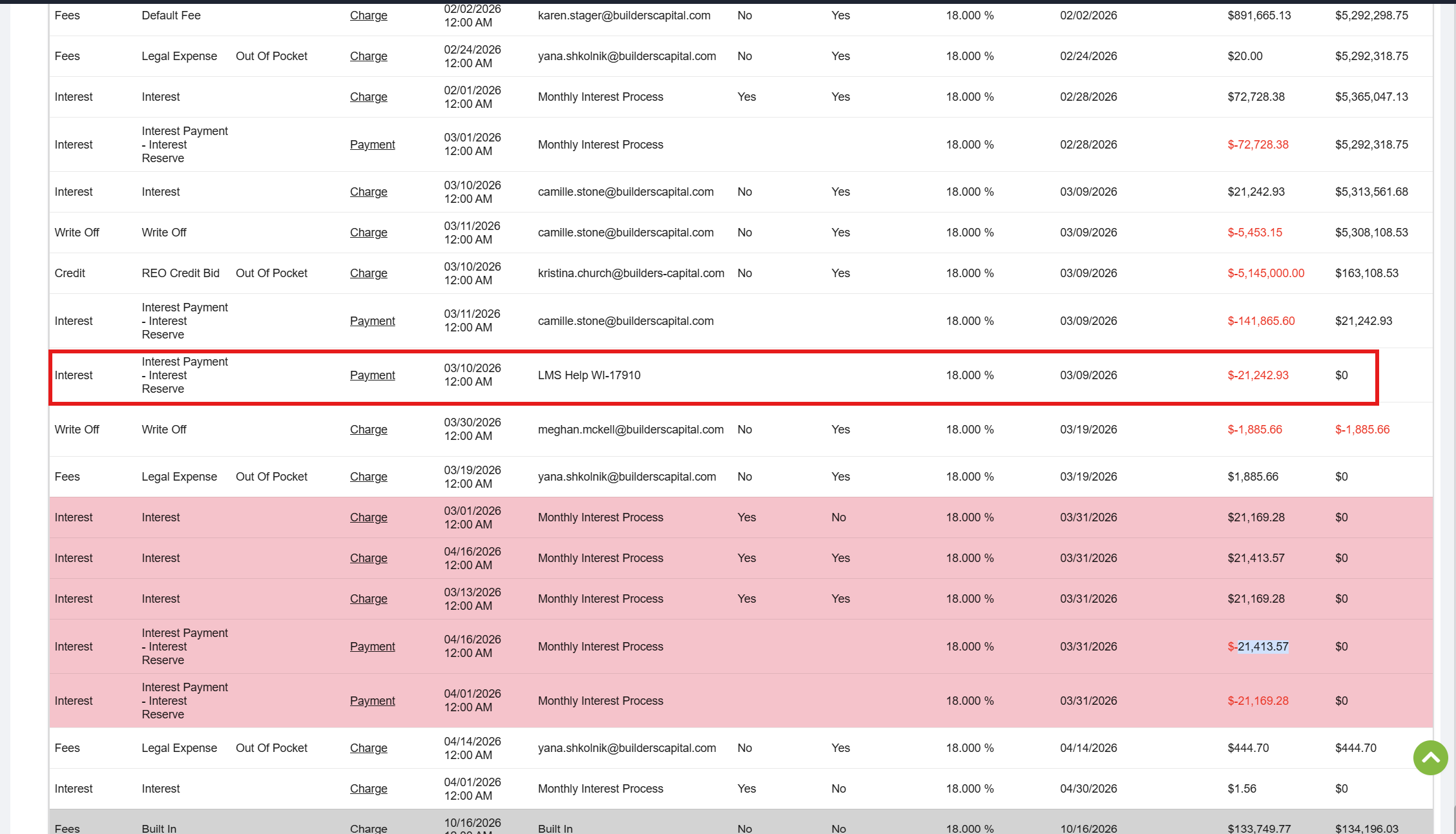
Pathway:
Loans
Loan Details
Loan History
Update IR Payment
Validation and Troubleshooting
Once Devs confirm this has been completed, verify that the changes requested are reflecting properly in LMS.