Primary Departments Supported: Servicing
Super Powers Needed? - NO
Dev Support? - YES
Common Situations
- Many times after a loan enters Servicing, the servicing team or the borrower will want or need to make changes to the existing budget attached to the property.
Important Considerations & Best Practices
- Servicing MUST do a Budget Re-allocation if there are any changes to total/grand total amounts, funds have been disbursed for that property or if there are any active or voided draws attached to that property.
- Always obtain a copy of the updated budget
- The total budget amount for that property should be replaced to the penny ie just moving money between lines.
- The total budget amount for that property should be replaced to the penny ie just moving money between lines.
- On the Budget Tab, review the Disbursed column for the budget
- This must show $0.00
- On the Draws Tab, check for any active requested, and voided draws on that property
- There should be none
Instructions:
Submit a task to the Developers to remove the approved budget and set a placeholder
Asana Task Guidelines:
-
Task Name (should match the name of the HubSpot Ticket): An easy way to name the ticket for identification (include loan number or numbers when applicable)
- Tip: Change the Name of the HubSpot Ticket before marking it for Dev Support
-
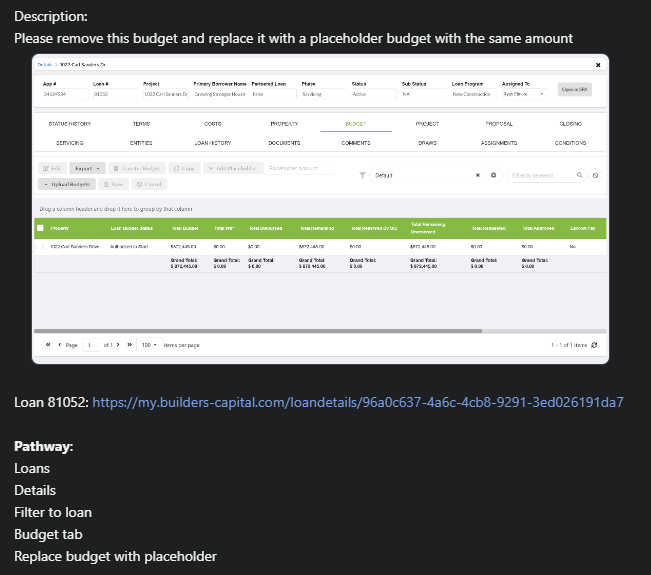
Developer Description: Where/What: Specific instructions ask the developer for exactly what is needed and should always include screenshots of exactly what items you are referring to
-
Repro/Pathaway: Step by step instructions for the developers to get to the section in LMS where the changes are to be completed.
Dev Task Template:
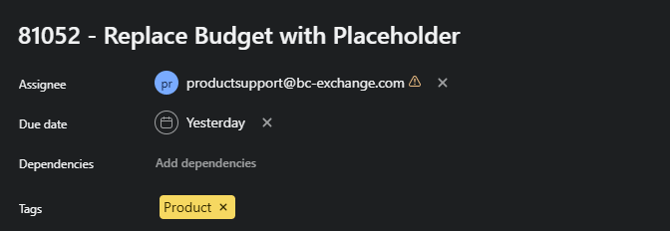
Task Name: [Loan #] – Remove Budget and Replace w/ Placeholder
Developer Description:
Please remove the current budget shown below.
Please replace the old budget, including all line items, with a placeholder in the amount of ($xxx,xxx).
Note: There have been no draws on this loan.
(Provide: Screenshot of the Budget Tab in LMS, highlighting the property being updated)
Repro/Pathway:
Pathway to Budget: (URL/Link to Budget Tab for the loan)
- Loans
- Loan Details
- Budget
- Delete Approved Budget per description
Pathway to Create Placeholder:
Within the Budget tab in LMS:
- Locate the property being updated and click to open details
- Update Loan Budget Template to Placeholder
- Update Loan Budget Status to Placeholder
- Add a line item labeled “Placeholder” with the budget amount specified in the description
(Provide: ScreenshotS from the Budget Tab identifying the property and its budget)
Dev Ticket Visual: