
Primary Department Supported: Product Support Audit
Description: This Audit is used to review and correct any loans that are missing the Total Loan Amount from the PMR Report
Super Powers Needed? – NO
Developer Support Needed? - YES
Context and Common Situations
-
The Total Loan Amount listed in the PMR report is directly connected to the Original Committed Loan Amount. The Original Committed amount is tracked in LMS on the Change Log when a loan moves to Servicing/Active. When this record is missing from the Change Log it will be omitted from the PMR report.
-
This issue primarily effects Loans from Lend Investors Capital that go active and have data imported into LMS
-
-
To add the Original Loan Amount to the change log, a task will need to be sent to the developers
Important Considerations & Best Practices
- Provide a FILTERED copy of the PMR report to the developers when requesting changes or corrections to make the information easier to see and correct
- Regardless of the audit results - Always attach any exports, screenshots to the notes of the HubSpot ticket and include your findings/summary of results in the final email response when possible.
Instructions:
1. Create a HubSpot ticket for the audit for tracking and external communication
-
Title of HS Ticket should include the Month and Title of the Audit
- Ex (September Monthly Audit - PMR Total Loan Amounts)
2. Pull the PMR Report:
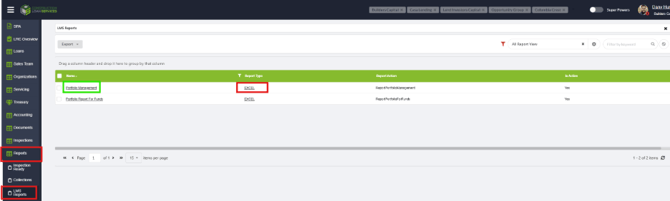
From LMS Menu:
- Select Reports
- Select LMS Reports
- Filter or Locate the Report titled Portfolio Management
- Select EXCEL
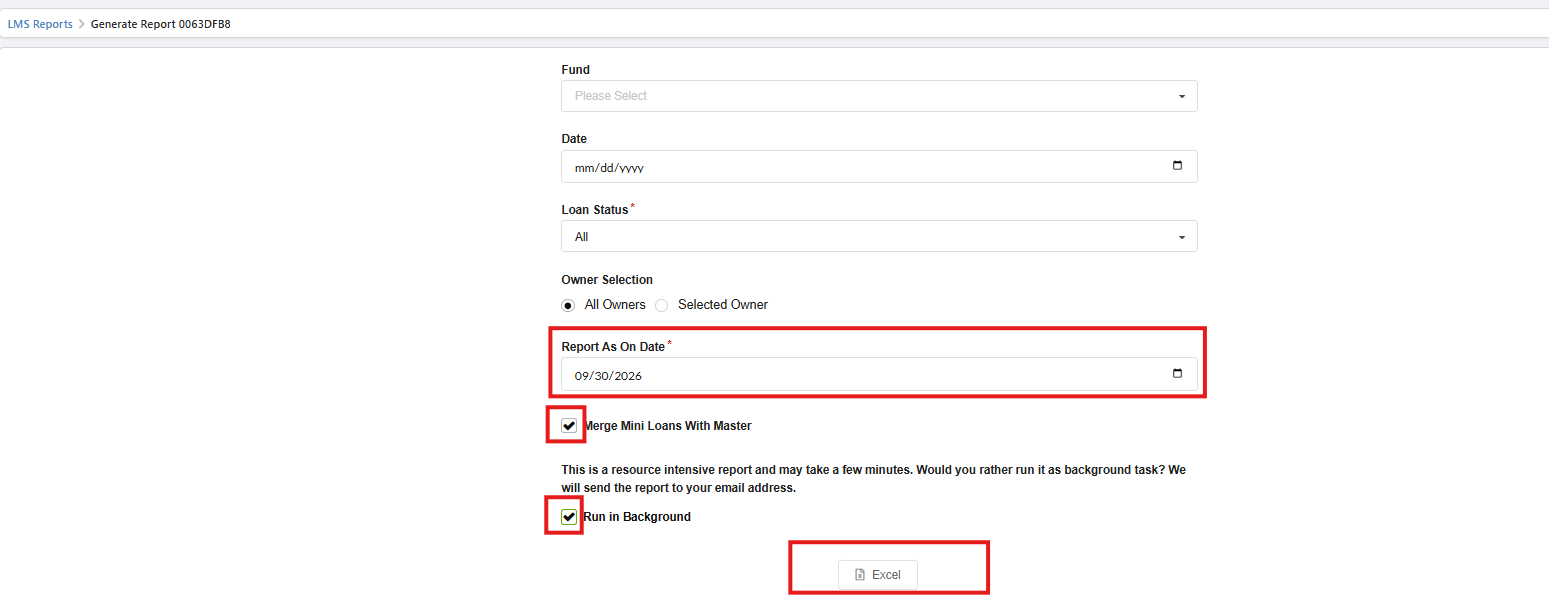
On the following screen select:
-
Report As on Date - "Last Day of the Month"
-
Select "Merge Mini Loans into Master"
-
Select "Run in Background"
-
Select the Excel button
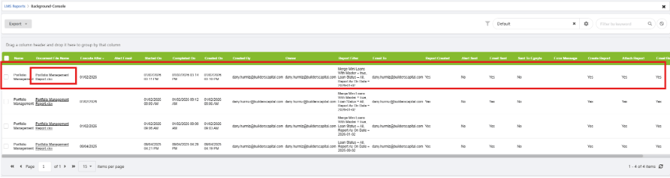
NOTE: The first report in the table be blank until the file is generated. Monitor/Refresh this table LMS and the document link will populate (can sometimes take 5+ minutes if it’s a big report). An email will also be sent your email inbox with the report.
Before:

After:
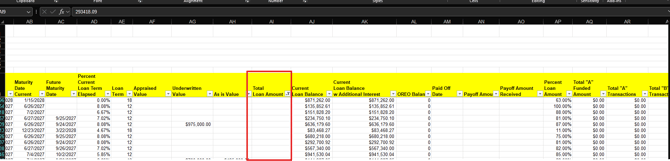
3. Open, Enable Editing and Filter the PMR Report:
- Open the PMR spreadsheet
- Locate the column titled "Total Loan Amount"
- Filter the data in this column by Value - (Blanks)
- If this option isn't listed in the filters then there are no loans in this report missing Total Loan Amounts - This is ideal and the audit is done. (proceed to step 5)
-
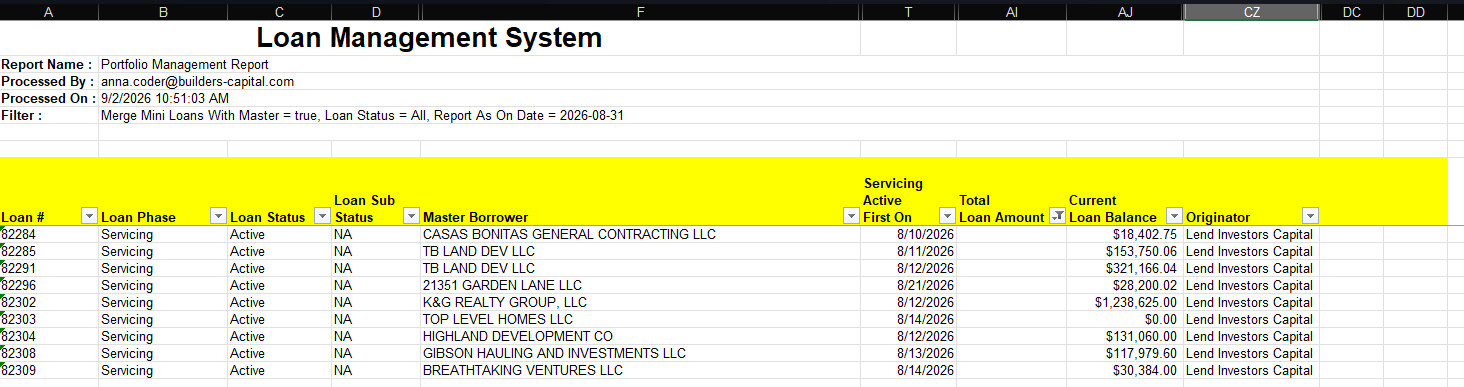
Any loans that show up in this list should be sent to the Developers
NOTE: Filter this spreadsheet further and remove extra columns for additional clarity
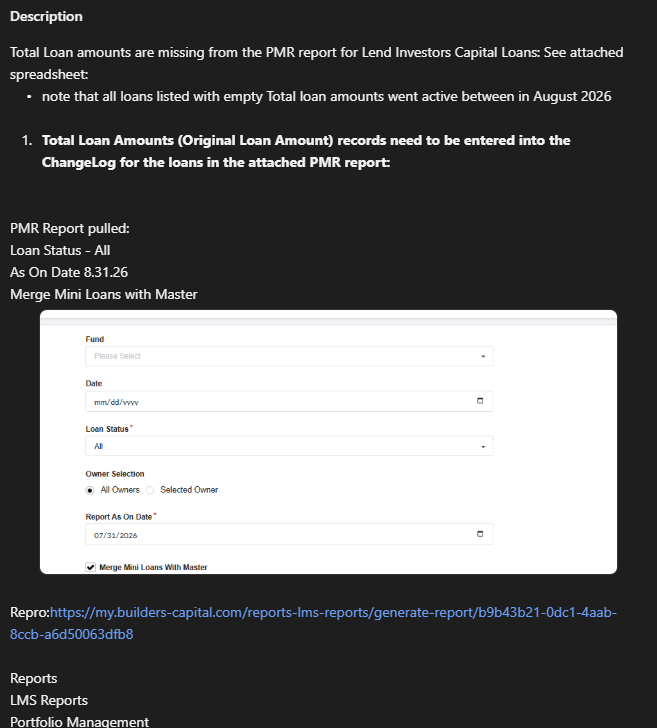
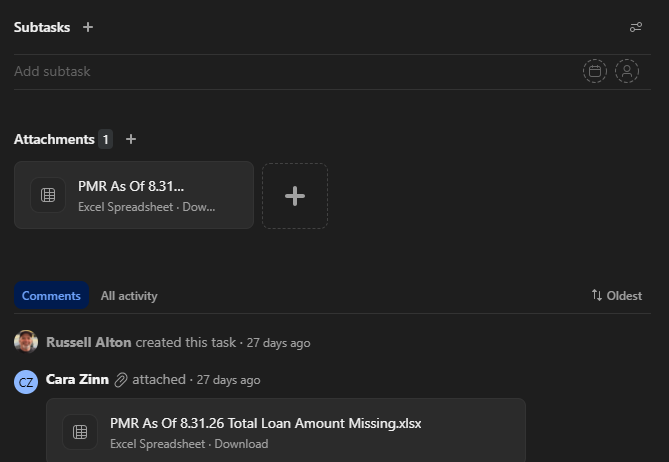
4. (If Needed) Create a manual Asana Task for the Developers and attach your filtered spreadsheet. Suggested columns to include in the spreadsheet:
-
- Loan Number
- Loan Phase, Loan Status, Loan Substatus
- Master Borrower
- Servicing First Active On
- Total Loan Amount
- Originator
Asana Task Visual:

5. Notate Results of Audit:
- Notate the Results of the audit in the log provided in this document – Include any relevant notes comments and links to tickets
- Post a verbal the confirmation of audit’s completion in the Teams Chat
- Resolve HubSpot Ticket - Remember to add or attach any exports, spreadsheets, notes and screenshots
|
Date |
Results |
Tickets/Tasks/Resolution Notes |
Completed By |
| 10/1/26 | CZ | ||
|
|
|
|
|
|
|
|
|
|
|
|
|
|
|
|
|
|
|
|
|
|
|
|
|
|
|
|
|
|