
If a portal user is locked out:
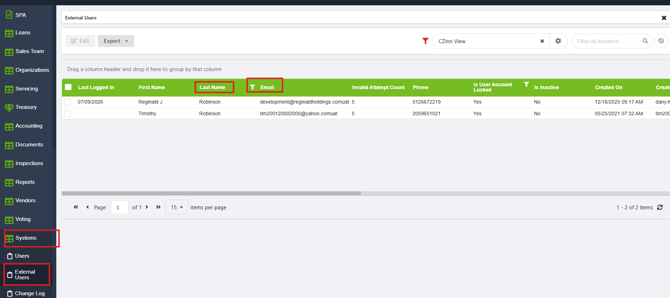
From LMS Menu
-
Select Systems
-
Select External Users
-
Search for the user by name or email
-
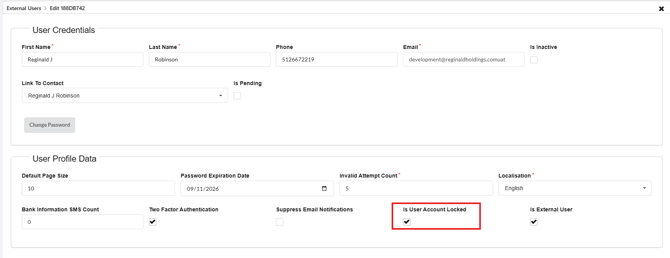
Click to open the details
-
Uncheck the box for "Is User Account Locked"
-
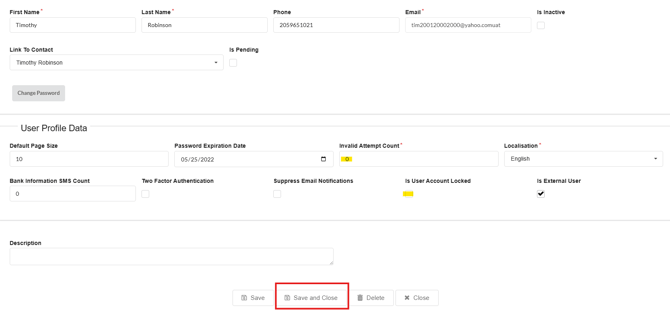
Click Save and Close
Contact Product Support For:
- Any questions or clarifications regarding these instructions
- If Invalid Attempt Count does not equal Zero after unlocking the user

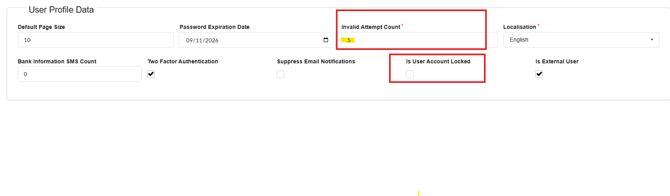
- Continuous lockouts after unlocking your user (may be related to the Invalid Attempt Count)