Primary Department Supported: SAG (Special Assets Group)
Super Powers Needed? – NO
Developer Support Needed? - NO
Context and Common Situations
A request is submitted asking that a borrower stop receiving late payment email notifications and/or that the loan stop accruing late fees.
These updates are made when a borrower enters a special handling or workout scenario and should no longer be treated by standard LMS automated processes.
Important Considerations & Best Practices
- SAG may request one or both of the following to be enabled on a loan:
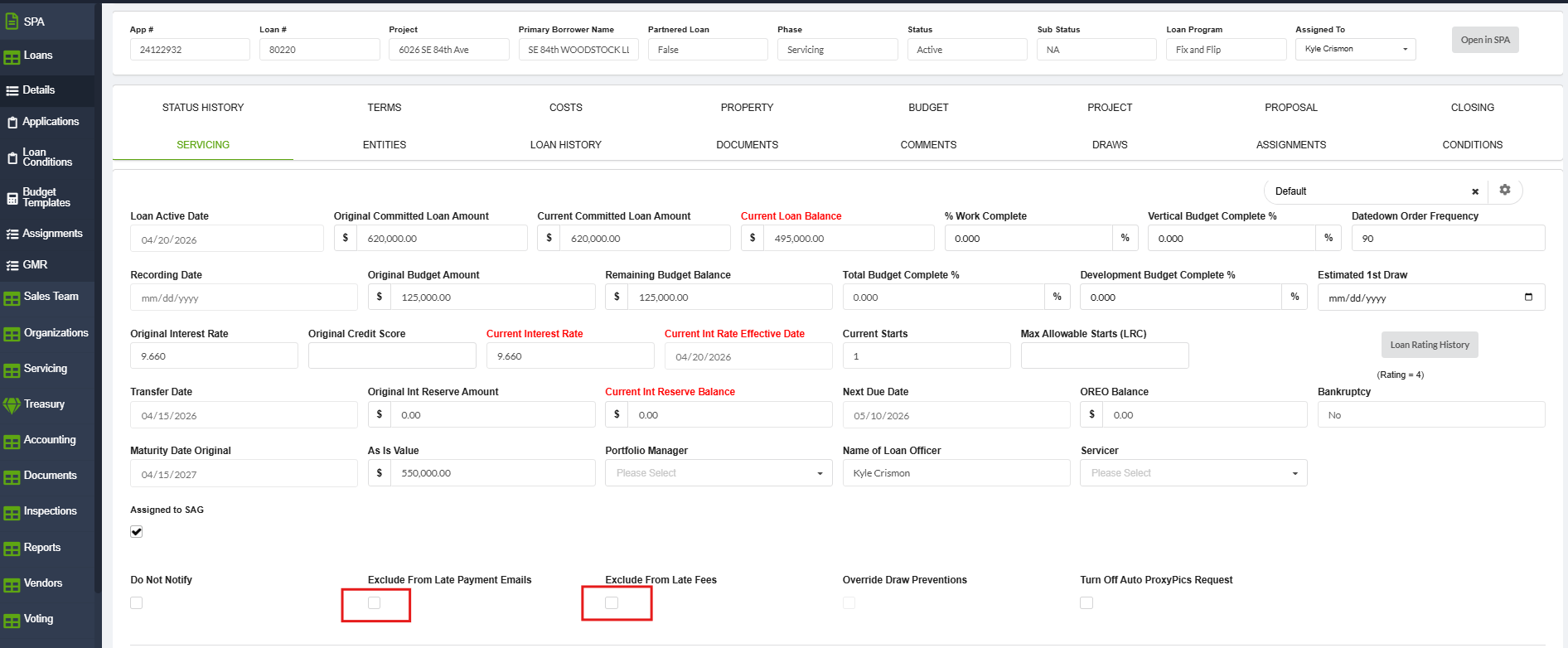
- Exclude from Late Fees – prevents LMS from assessing late fees to the loan.
- Exclude from Late Payment Emails – prevents LMS from sending late payment reminder emails to the borrower.
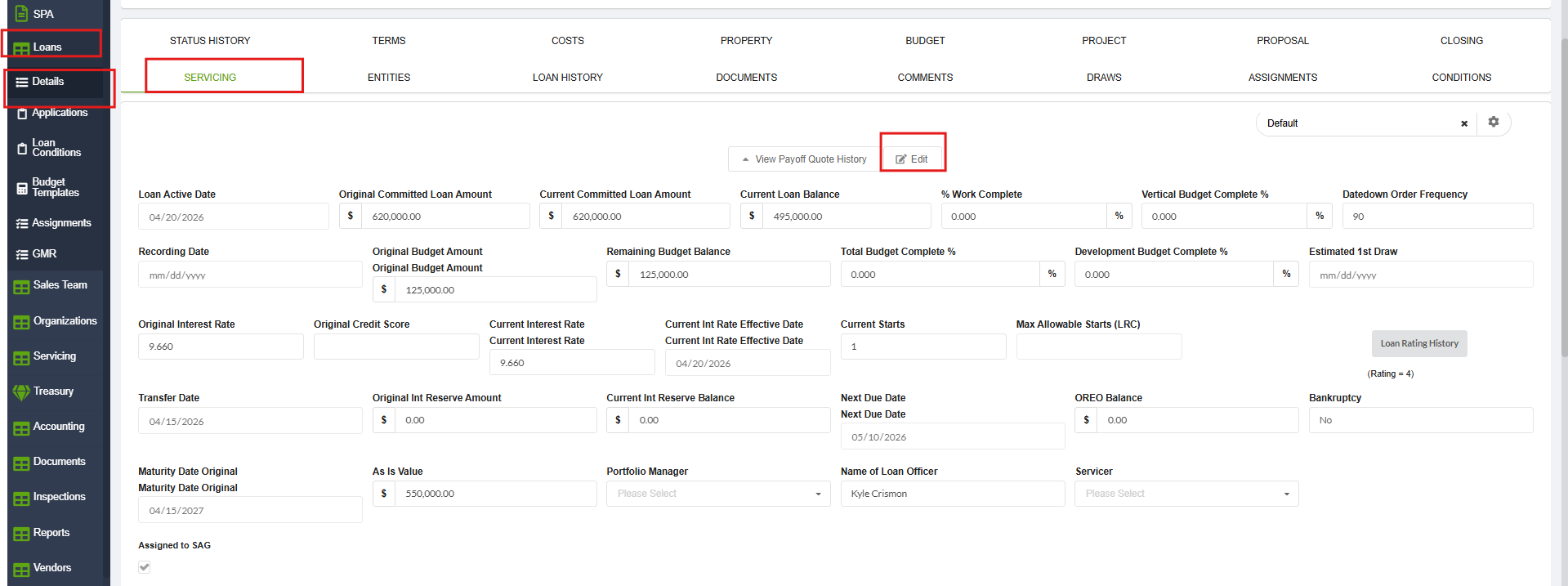
- Both settings are located on the Servicing Tab in LMS.
- Ensure the request explicitly states whether SAG wants one or both exclusions enabled.
Instructions
To Update Late Fee and Late Fee emails
From LMS Menu
- Select Loans → Loan Details → Servicing
- Click Edit.
- Locate the following options:
- Exclude from Late Fees
- Exclude from Late Payment Emails
- Check the box(es) requested by SAG.
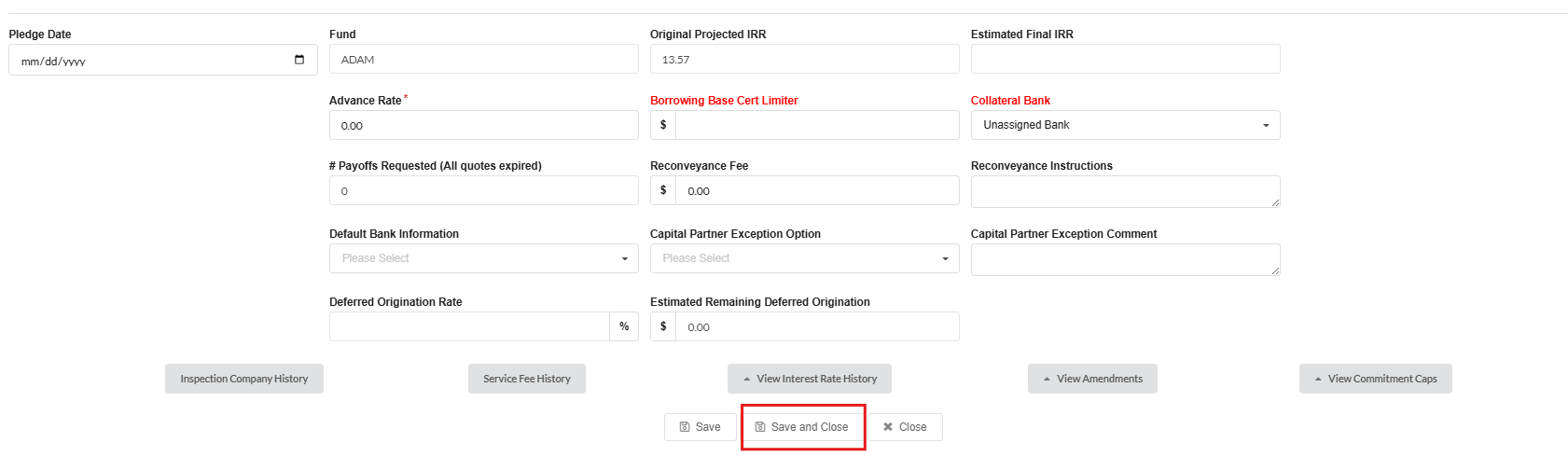
- Click Save and Close.