Primary Department Supported: Servicing/Product Support
Super Powers Needed? - NO
Developer Support Needed? - YES
Context Common Situations
On the Entities Tab - the Guarantor line may still display the old organization after merging or updating the borrower name on a loan—this outdated linked organization needs to be removed.
Important Considerations & Best Practices
Removing the organization link does NOT remove the guarantor from the loan or from the organization itself—it only removes the link from the loan-level record.
Nothing needs to replace the removed organization; the field can remain blank.
Asana Task Guidelines:
-
Task Name (should match the name of the HS Ticket): An easy way to name the ticket for understanding and identification (include loan number or numbers when applicable and a few words to identify the ticket)
-
Developer Description: Where/What /(sometimes)Why: Specific instructions ask the developer for exactly what is needed and should always include screenshots of exactly what items you are referring to
-
REPRO: Reproducing Steps and links: Step by step instructions with URL links and screenshots for the developers to get to the section in LMS where the changes are to be completed
Dev Ticket Template/Written:
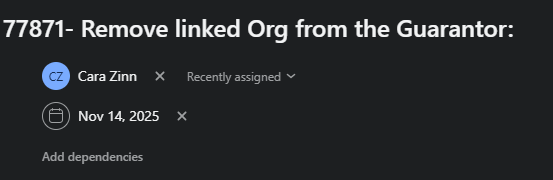
Title: 77871- Remove linked Org from the Guarantor:
Description:
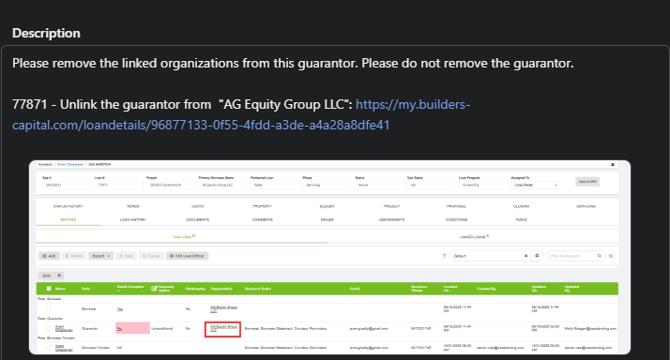
Please remove the linked organization from this guarantor. Please do not remove the guarantor.
77871 - Unlink the guarantor from "AG Equity Group LLC":
(Add Screenshots of the Entities Tab Page that highlights the Organization being removed)
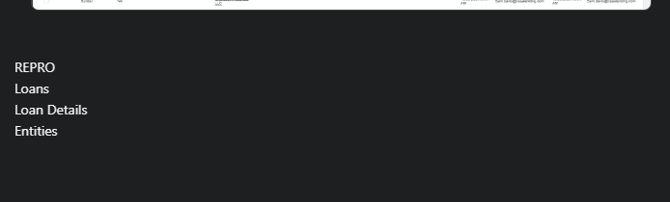
REPRO:
-
Entities Tab: https://my.builders-capital.com/loandetails/96877133-0f55-4fdd-a3de-a4a28a8dfe41
-
Loans
-
Loan Details
-
Entities Tab
(Add Screenshots of LMS Pages and Navigation)
Dev Ticket Visual Example: