
Primary Department Supported: Servicing
Super Powers Needed? – YES
Developer Support Needed? -NO
Context and Common Situations:
When extension amendments are implemented on Adj rate loans, they often have a rate change that needs to be implemented as well. This should be done in the monthly audit, but the Account Manager may send in a ticket to update this as well.
Important Considerations & Best Practices
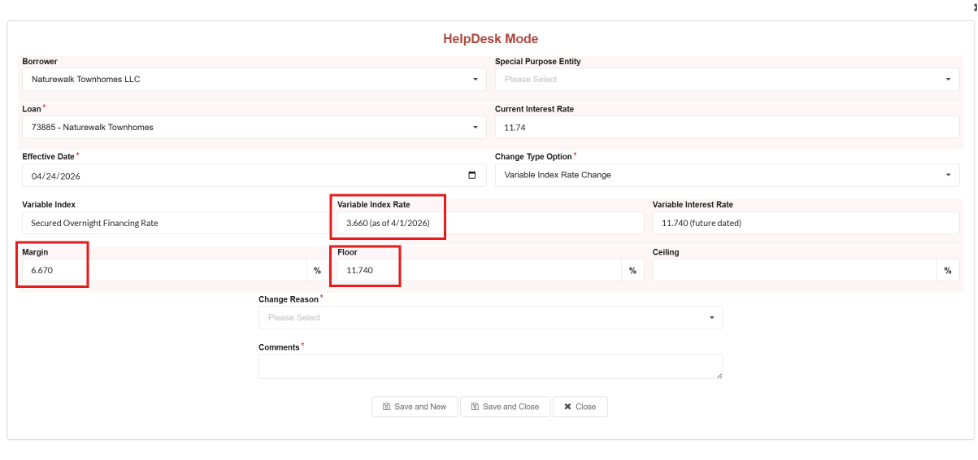
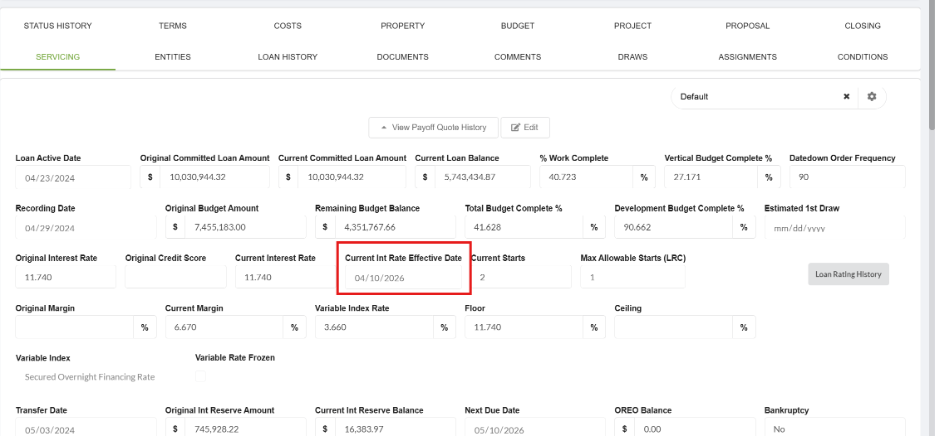
- On adjustable rate loans the Margin and the Variable Index Rate are added together to get the current interest rate.
- If the margin and the Variable Index Rate add up to more than the floor, you’ll need to adjust the Current Interest Rate as well.
- If the margin and Variable rate add up to less than the floor, update the margin & leave the current interest rate as is.
- Margin changes cannot be implemented/added to the interest rate history table for a previous month – if a margin change is missed, the record should be added for the current month, and you will need to determine if a true up is needed. A true up will be needed in cases when the interest rate should have been higher than the floor. Treasury can help you with this process if it’s needed.
- Margin changes cannot be implemented in future months, as we need to first implement the new SOFR/Variable Index Rate for all Adj rate loans.
- Verify the effective dates:
- Margin changes can be added to the history table at any point in the current month, so you need to verify the effective date of the rate change in the amendment before adding the record. The effective date should match on the amendment, the servicing tab, and the interest rate history table.
Instructions:
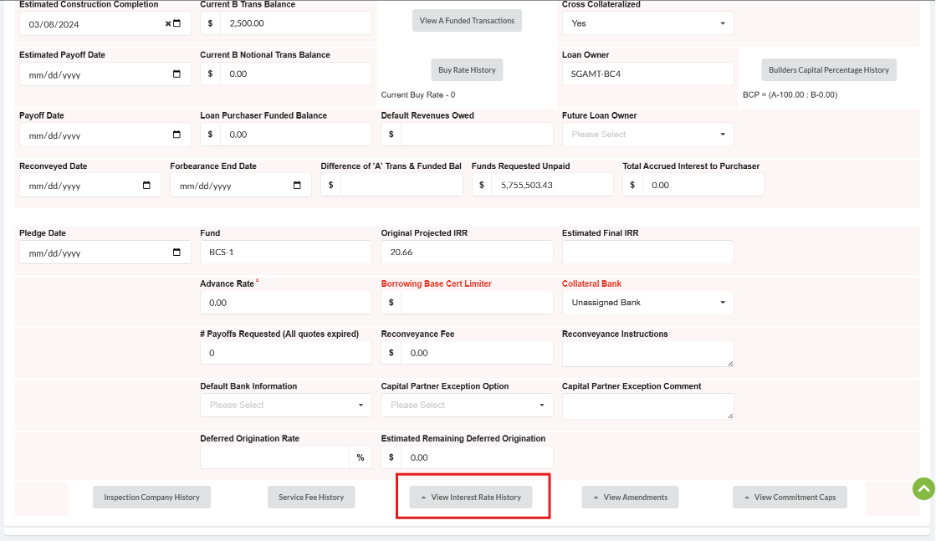
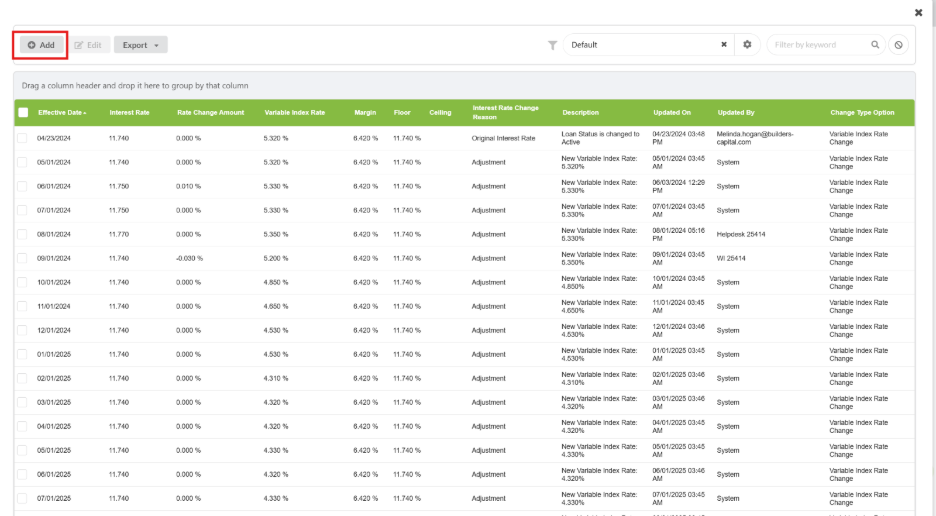
Margin changes can be implemented by navigating to the Servicing tab of the loan, turning on superpowers, selecting ‘view interest rate history, and selecting add.
If the margin and Variable rate add up to less than the floor:
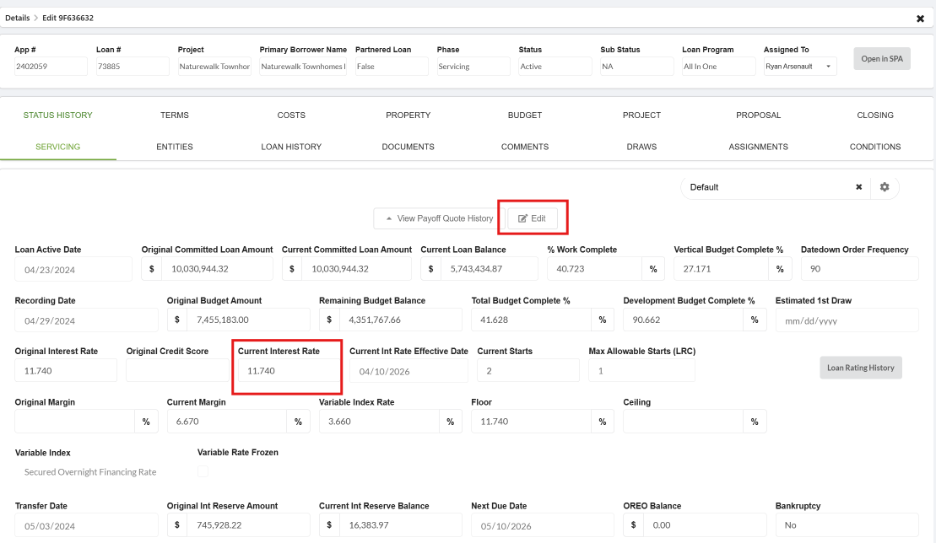
- To do this, you need to add it to the servicing tab by turning on superpowers, selecting edit, and adding the new interest rate & effective date.
- Once the current interest rate has been added, you can add the margin to the interest rate history table (this will give you an error if you do it in the wrong order)
Validation and Troubleshooting: