
Primary Department Supported: Servicing / NWM Inspection Company
Super Powers Needed? - NO
Developer Support Needed? -NO
Context and Common Situations
Typical reasons to delete an inspection order include:
- The inspection order is a duplicate/ created in error
- The inspection order must be deleted as part of correcting empty inspection projects (when NWM cannot see the inspection order)
Important Considerations & Best Practices
- LMS will only allow deletion if the inspection order is empty — meaning:
- No line items
- No attached documents
- Inspection Orders Marked Returned Cannot be deleted
- Always verify you are deleting the correct inspection order, important when multiple orders exist on a single draw and when there are multiple active draws on the loan
- Tip: expand the list of draw items shown in the inspection order so that ALL line items are removed
- If the inspection order number is not provided in the ticket or email, it can be located at the draw level within LMS or ask NWM/Servicing to confirm the inspection order number
To Find an Order Number at the Draw Level:
From LMS Menu
- Select Loans
- Select Loan Details
- Open the desired loan
- Go to the Draws tab
- Locate the appropriate draw
- Inspection orders appear in the bottom third of the draw details page
Instructions:
To Delete the Inspection Order:
From the LMS Menu:
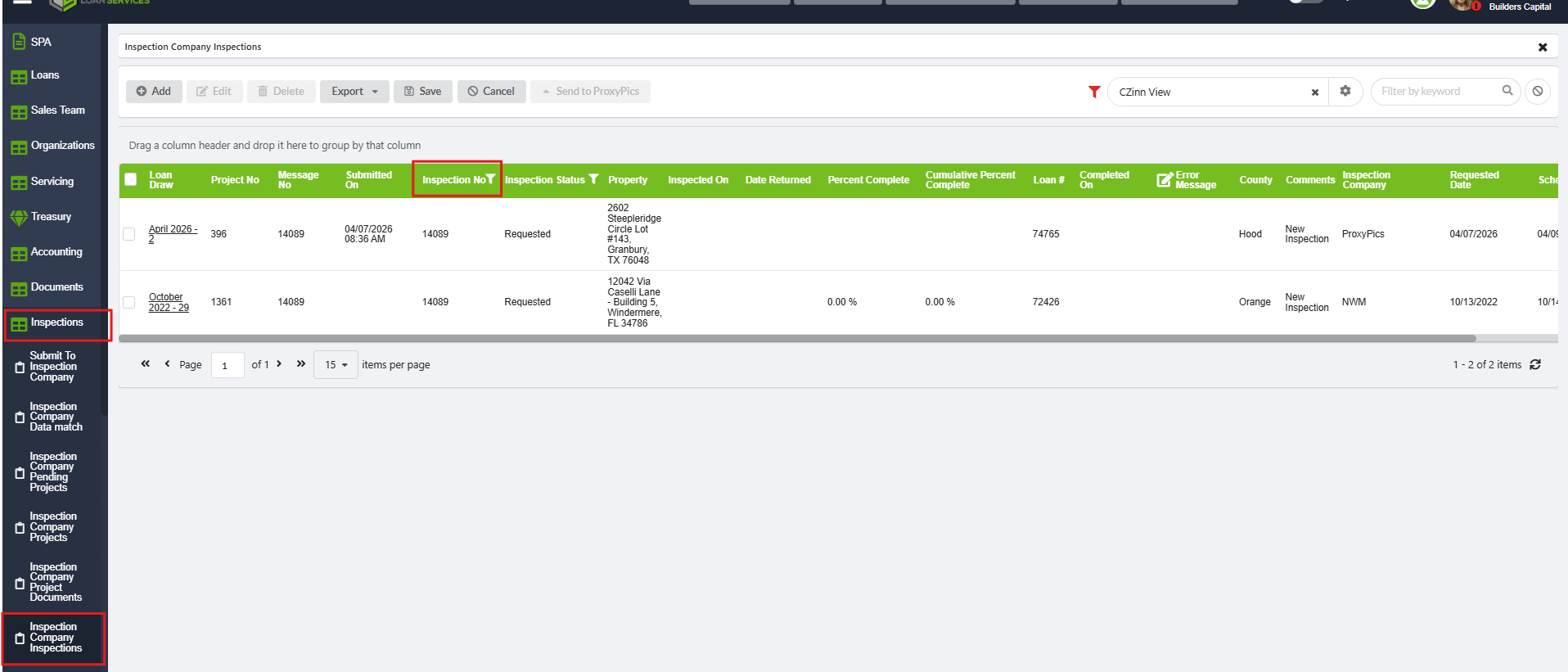
- Select Inspections → Inspection Company Inspections
- Filter by Loan #
- Filter by Inspection Number
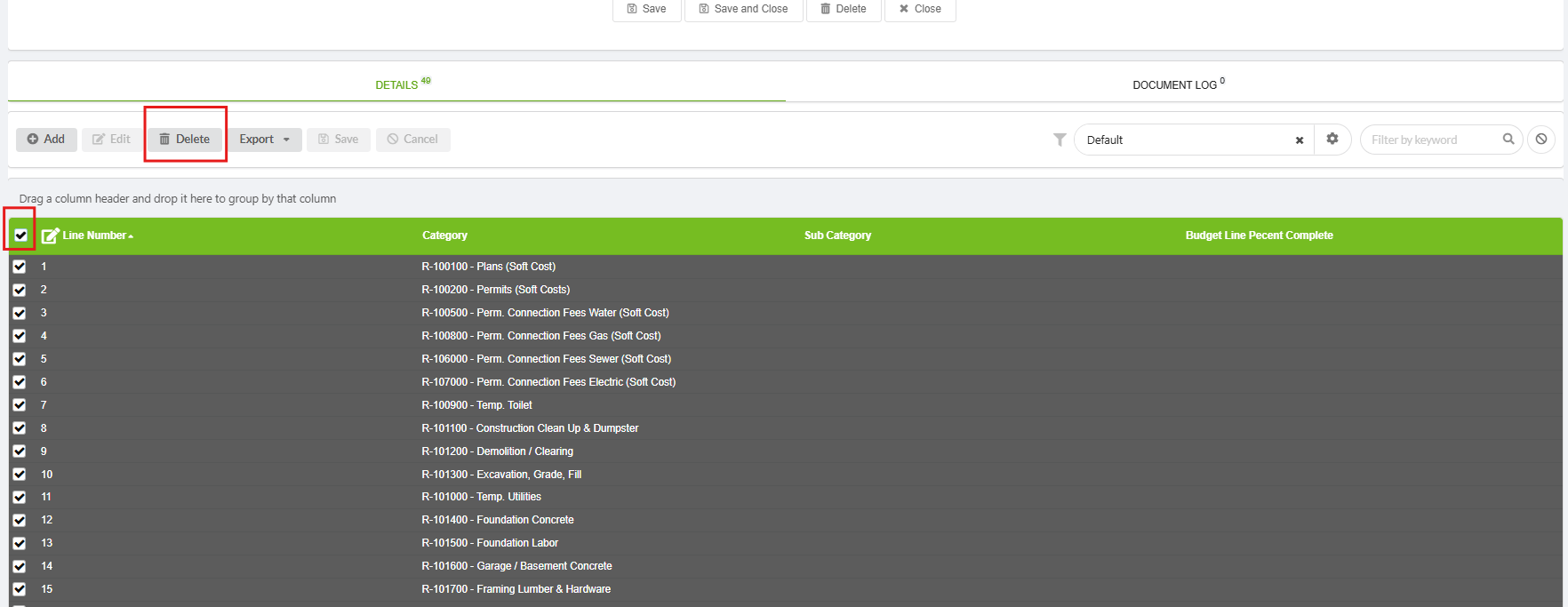
- Click to open the inspection order
- Checkmark to highlight all line items, (if any exist) – “Delete”
- Save and Close to return to the Inspection Company Inspections list
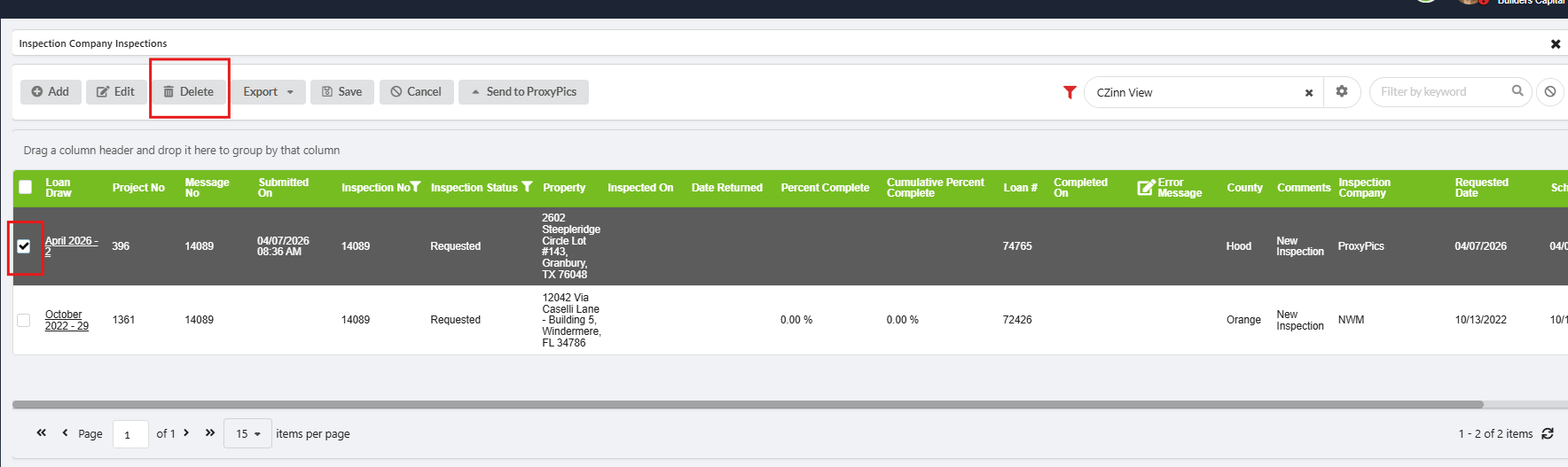
- Checkmark the inspection order to highlight it
- Click Delete
Validation and Troubleshooting
Validate at the Inspection Order Page: Inspection orders that are successfully deleted will no longer appear when searched.
Validate at the Draw Level: Duplicate Inspection Orders will disappear from the orders table and if only one order existed, the draw will show the no inspection has been ordered