Primary Department(s) Supported: Closing
Description: How and when to update the Recording Date on the Closing Tab in LMS when an error is received by the Closing team.
Super Powers Needed? YES
Developer Support Needed? NO
Common Situations
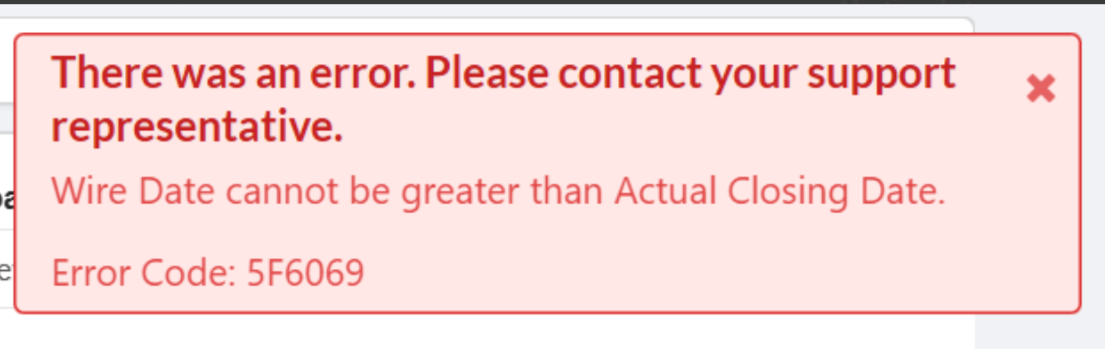
- LMS occasionally gives an error when entering a recording date where the date is after the wire. Closing may request an update to set the Recording Date on the Closing Tab.
- "Wire date cannot be greater than actual closing date"
Important Considerations & Best Practices
- Always confirm the wire date with the Closer before making any updates in LMS.
Instructions
To Update the Recording Date
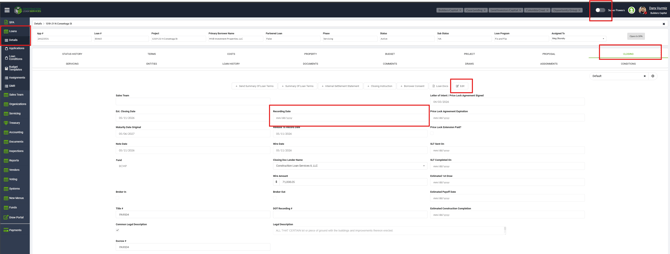
From the LMS Menu:- Select Loans
- Select Details
- Open Loan and select Closing Tab
- Turn on Super Powers
- Select Edit
- Enter the correct Recording Date in the Recording Date field
- Click Save & Close