Primary Department Supported: Servicing
Super Powers Needed? – YES
Developer Support Needed? - YES
Context:
Occasionally on Loans in Servicing, a built-in extension on a loan will need to be re-built
OR an extension was never added, and one is needed. This need comes from previous issues with the SPA loan system not importing the extensions or incorrect information coming over that requires correction
Instructions:
LMS Navigation Path
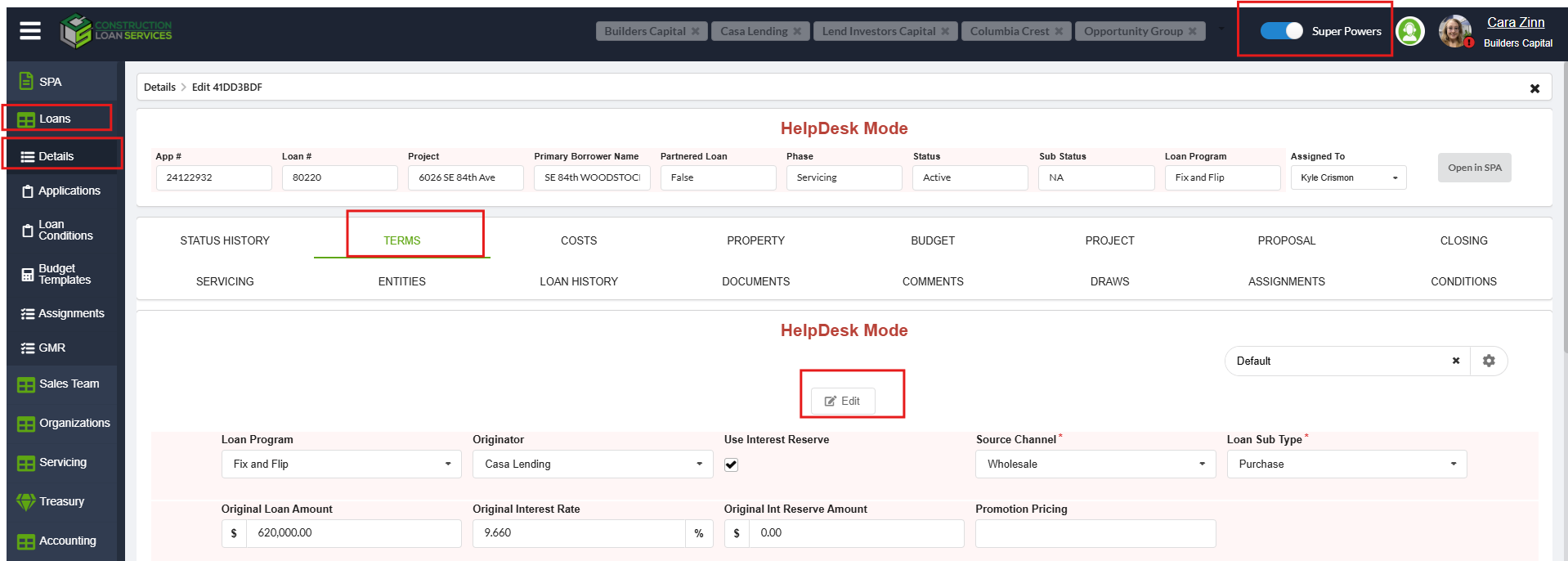
- Go to Loans
- Select the loan and open Loan Details
- Navigate to the Terms Tab
- Enable Super Powers
- Click Edit at the top
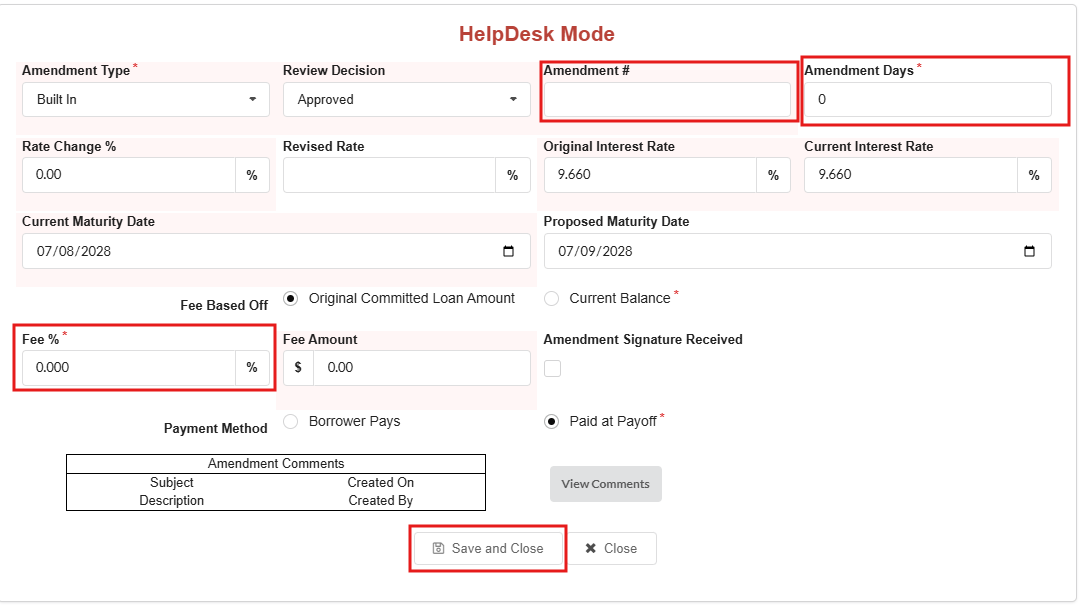
- Scroll down and click Add Built-in Amendment
- Enter the required amendment details
- Save and Close