
Primary Department Supported:
Servicing
Product Support – General Operations
Servicing
Product Support – General Operations
Description
This process is used when adding new individuals into LMS or when updating the email address of an existing contact.
This process is used when adding new individuals into LMS or when updating the email address of an existing contact.
Common Situations
You may need to create a contact in LMS when:
You may need to create a contact in LMS when:
- A new individual needs to be added to LMS
- An existing contact’s email address changes and the record must be updated
- (Refer to the QRG for updating email addresses)
Important Considerations & Best Practices
- Super Powers required: NO
- LMS only allows one email address per person; contacts cannot share email addresses
- Always search for existing contacts before creating a new one
- TIP: Search by email address
- After creating the contact, ensure the following are added as needed:
- Organizations
- Business Roles
- These assignments ensure the contact can be attached to loans and granted correct system or portal access later
- User Accounts can be created:
- During contact creation, or
- After the contact is saved, depending on the situation
Create a Contact in LMS
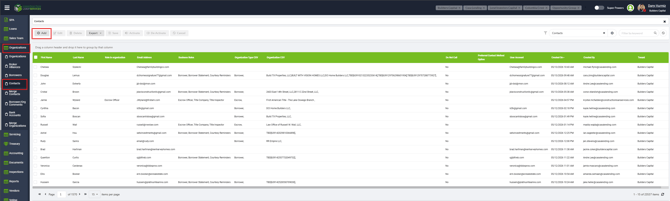
- From the LMS Menu, navigate to: Organization → Contacts
- Search by email address or name to confirm whether the contact already exists
- If no contact is found, click Add
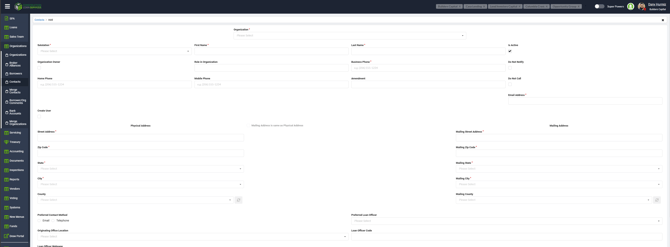
- Fill in all required fields as accurately as possible
- (Optional / As needed) Create a User Account during contact creation by selecting Create User
- Assign any required:
- Organizations
- Business Roles
- Click Save and Close
To Modify an Existing Contact:
1. Select a contact from the list

2. Update the information needed
3. Save and Close
4. Go back into the Contact and verify changes were made
Troubleshooting
3. Save and Close
4. Go back into the Contact and verify changes were made
Troubleshooting
Duplicate contact error:
- Re-check spelling and email address
- Remember that LMS does not allow shared email addresses
- Search by email address to locate any existing contact using that email
- Confirm whether individuals prefer or require a specific email address before creating a new contact