Primary Department Supported: Closing, Treasury
Super Powers Needed? - NO
Developer Support Needed? - YES
Context and Common Situations
- When a requester asks for a Paid Off Date to be added to the Loan. This date is added on the Servicing Tab, When the Loan is in Paid Off Status this update must be completed by the Developers.
- Product Support cannot modify the Paid Off Date directly once the loan status is Paid Off.
Important Considerations & Best Practices
- Confirm the loan is already in Paid Off status before submitting the request.
- Ensure the requester provides the correct Paid Off Date that needs to be added.
Instructions
To Update a Paid Off Date on a Loan that is already Paid Off – Submit a Ticket to the Developers:
1. Update the Title of the HubSpot Ticket - choose a title that will identify the Loan and property identify the request
2. In the HubSpot ticket - Select "Route to Dev - PS Dev" to start your ticket: HubSpot will automatically create your Asana Task - and you will need to edit and add all the additional relevant information
3. In the Asana Task - Remove or separate any information that the developers do not need (ie.(original email contents) and provide detailed instructions for what they need to change, include screenshots and URL's.
Asana Task Template:
-
Task Name (should match the name of the HS Ticket): An easy way to name the ticket for understanding and identification (include loan number or numbers when applicable and a few words to identify the ticket)
-
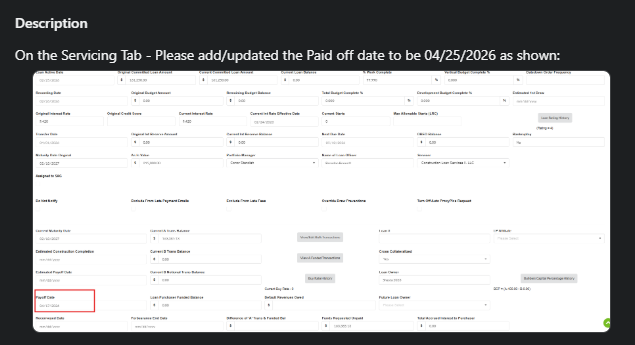
Developer Description: Where/What /(sometimes)Why: Specific instructions ask the developer for exactly what is needed and should always include screenshots of exactly what items you are referring to
-
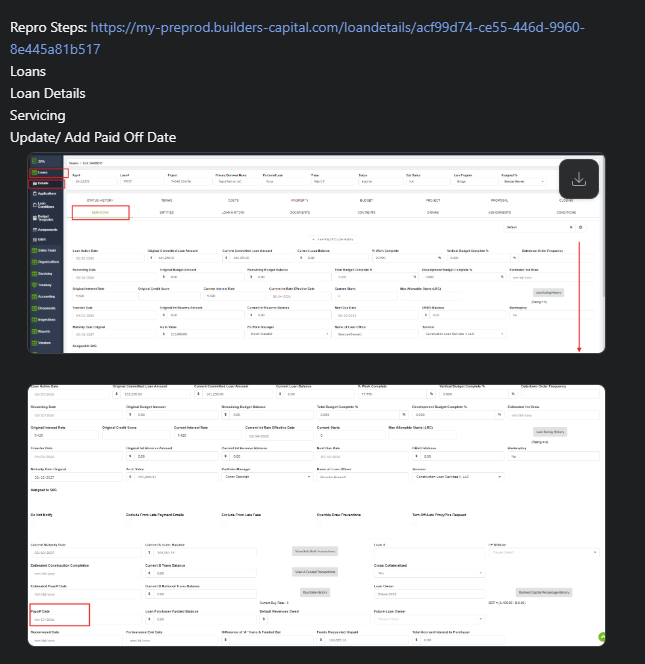
REPRO: Reproducing Steps and links: Step by step instructions with URL links and screenshots for the developers to get to the section in LMS where the changes are to be completed
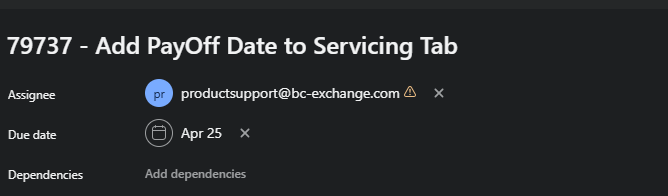
Dev Ticket Example: